Compress GLB 3D models.
3D models crushed with Draco — right on your own device.
Drop GLB models here
or browse your files
Paste with ⌘V · or drop files anywhere on the page
Files never leave your device. Everything runs in your browser, nothing touches a server — tools you've used even work offline.
Compress GLB 3D models entirely in your browser — geometry crushed with Draco or Meshopt, embedded textures re-encoded, optionally fewer triangles. Product models, scans and game assets shrink dramatically; nothing is ever uploaded.
Before / after
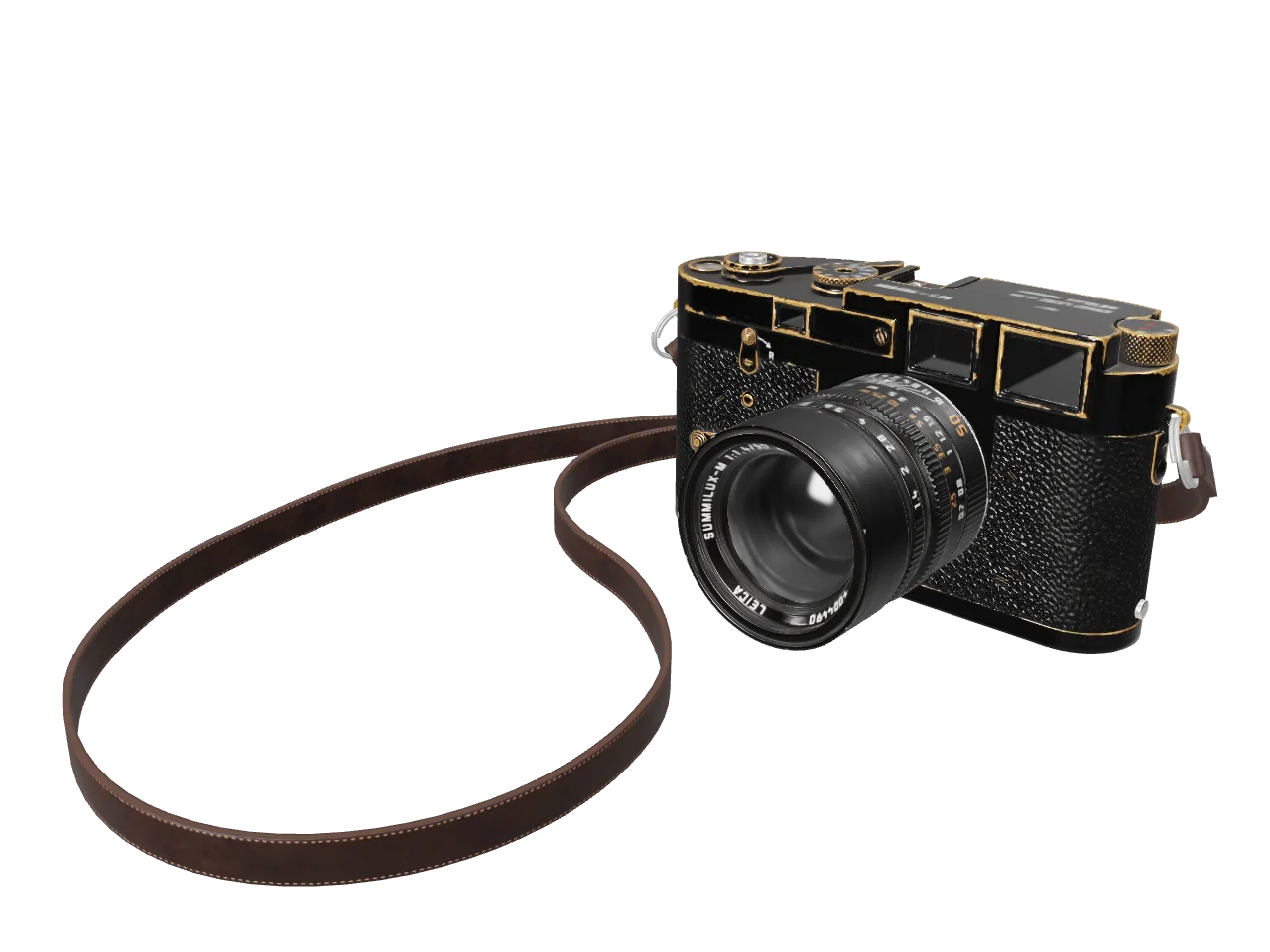
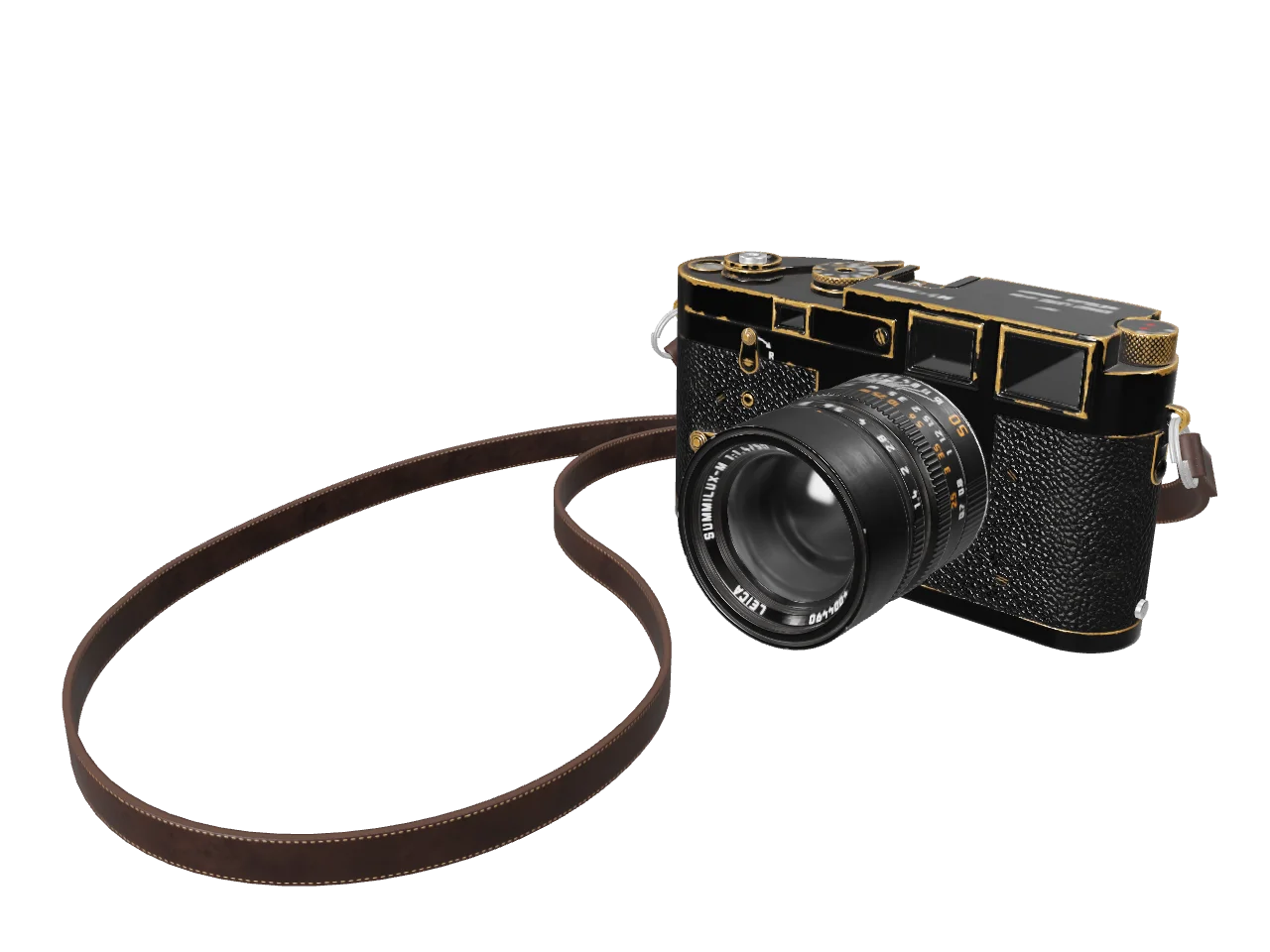
Original
6.2 MB
Compressed
1.3 MB
Saved
−78%
Real result, not a mock-up: this 27k-triangle photoscanned camera went through the Compress GLB tool — glTF Transform with the Draco geometry codec compiled to WebAssembly, plus the Max texture size cap at 1024 px, the "usual culprit" fix the guide itself teaches — and dropped from 6.2 MB to 1.3 MB. Both sides of the slider are the same fixed-camera render of the actual files: every triangle survives, all 9 textures re-encoded, only the bytes leave. Drag away — any softness you can find is the texture cap at work, not the geometry.
Model by Rajil Jose Macatangay — CC0.
How it works
- Drop files anywhere on the page, click to browse, or paste with ⌘V.
- Pick a quality or preset — or set an exact target size and let the tool find it.
- Compress, compare before/after, and download — individually or as a ZIP.
Three ways to compress geometry
Draco (Google) packs vertex data and connectivity the tightest and is decoded by three.js, Babylon.js, <model-viewer> and every major engine. Meshopt (EXT_meshopt_compression) trades a little size for very fast, GPU-friendly decoding — also widely supported. And None quantizes the numbers without any compression extension at all: the output opens in every glTF viewer with zero extra decoders, which makes it the safe pick when you don’t control the viewer.
Textures and triangles
Embedded JPEG textures re-encode at your chosen quality and PNGs can be downscaled — 4K textures are the usual culprit in oversized web models, and the Max texture size cap alone often halves a file. Any texture that would grow is kept untouched, and GPU-compressed formats (KTX2) pass through as-is. The optional Simplify slider decimates the mesh itself — permanent detail loss, but the biggest wins on dense photogrammetry scans.
Under the hood
The pipeline is glTF Transform — the reference glTF processing library — running with Google’s Draco codec and meshoptimizer compiled to WebAssembly, all inside a worker on your device. Deduplication, welding and pruning run first, then your chosen codec; animations, materials and scene structure are carried over untouched. Your model never leaves the browser — no queue, no server, no copy of your asset anywhere.
Frequently asked questions
Will the compressed model open in my viewer?
Draco and Meshopt output needs a viewer with the matching decoder — three.js, Babylon.js, <model-viewer> and the major engines all bundle both. If you can’t control the viewer, pick None: that output needs no decoder at all.
Are animations and materials preserved?
Yes — animations, skins, materials and the node hierarchy pass through untouched. Only vertex data is compressed and textures re-encoded; nothing is restructured.
Why is my .gltf file rejected?
A .gltf keeps geometry and textures in separate files this browser tool can’t reach. Export as a single .glb (Binary glTF) — every DCC tool and engine has that option — and it will convert.
Is my model uploaded?
No. The whole pipeline — parsing, compression, texture re-encoding — runs in your browser. The server only delivers this page; your asset never leaves your device. Want proof? Run one file through, switch your connection off, and run another — it still works.